
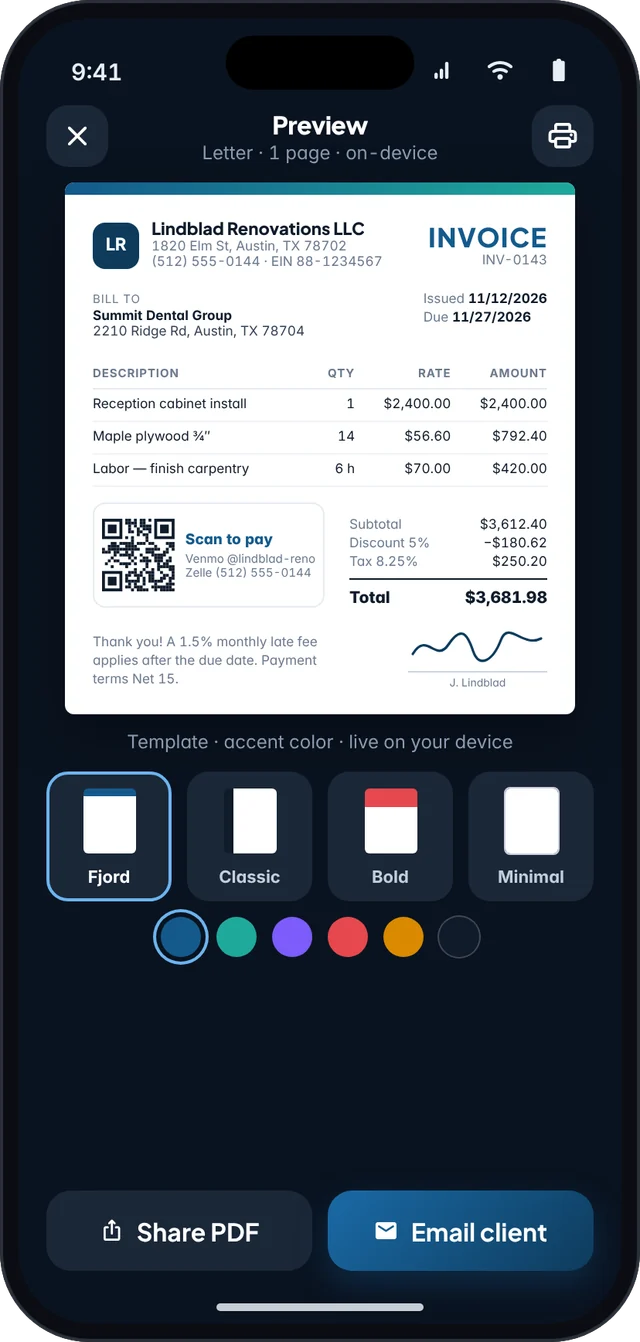
For landscapers, cleaners, consultants, and most trades, the job usually starts with a number the client can approve. If you later retype that number onto a blank invoice, you invite mistakes: a missed line, a changed rate, or sales tax that does not match the quote. Build the estimate carefully, get agreement (and, when you can, a signature), then turn it into an invoice.
What belongs on the estimate
- Your business details and the client’s billing details
- A unique estimate number and date, and how long the price is valid
- Line items that will still make sense on an invoice: description, quantity, rate, taxable flag
- Optional notes on what is excluded, when work can start, and how change orders will be billed
- Payment terms for the eventual invoice, including any deposit
Be as specific as the job requires. “Cleanup” is harder to defend than “Haul away garden waste, up to two truckloads.” The trade template guide has examples by type of work.
From estimate to invoice in Fjordbill
- Create the estimateAdd the client and line items, including sales tax if you collect it. Preview the PDF before you send it.
- Share it and, if you use Pro, collect a signatureThe client can sign on your device. The signature stays on the phone with the document. Agreement in email is still an agreement — a signature just makes the record clearer.
- Turn the approved estimate into an invoiceFjordbill converts the estimate so you do not retype the lines. Check the invoice number, invoice date, due date, and any deposit already received.
- Adjust only what actually changedIf the job changed, add a new line or a change-order line instead of silently editing the approved work. Your future self, and your client, will be able to see what happened.
- Send the invoice and record paymentShare the PDF from your own email or messages. Mark deposits and balance payments as they come in.
Signatures on estimates are a Pro feature. Creating unlimited estimates, converting them, and sending PDFs are included on the free plan (free PDFs carry a small footer). You can also do this offline on a job site and send the file when you have signal.
Deposits and change orders
If your terms require a deposit before you schedule the work, invoice that deposit as soon as the estimate is approved, then invoice the remainder when the milestone is met. Fjordbill supports deposits and a payment schedule so the remaining balance is visible on the document.
When the scope grows, send a short additional estimate or add a clearly labeled change-order line. Do not bury a new price inside an old description. That is how payment disputes start.
Frequently asked questions
What is the difference between an estimate and an invoice?
An estimate (sometimes called a quote) is an offer of work and price. An invoice is a request for payment for work you are billing. Keep them as separate document types, with their own numbers, and convert only after the client agrees.
Can I collect a signature in Fjordbill?
Yes, on Fjordbill Pro. Client signatures on estimates are captured on your device. The free plan still lets you create unlimited estimates and convert them to invoices.
Does converting an estimate change the line items?
It should not. The point of conversion is to carry the approved descriptions, quantities, rates, and tax flags onto the invoice so you do not retype them and accidentally change the deal.
Can I invoice a deposit first?
Yes. Fjordbill supports deposits and payment schedules. Many contractors collect a deposit on an approved estimate, then invoice the balance when the work is done.